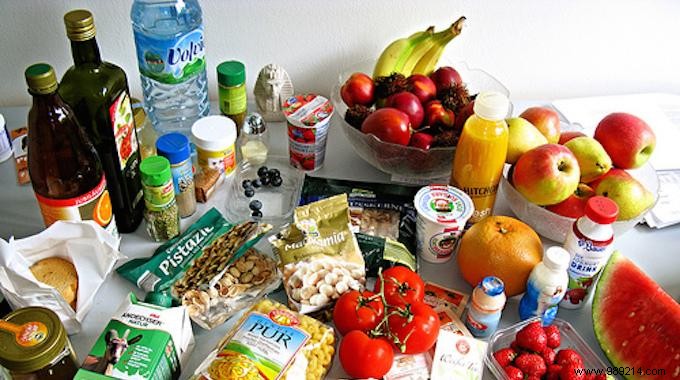
We've all done it: stocked up on fresh groceries, only to let them languish in the fridge until they're spoiled. I wasted heaps of cilantro this way before discovering this game-changing solution.
It's a straightforward Excel spreadsheet that automatically calculates days until expiration, helping you stay organized and reduce waste effectively.
Watch how it works:
Contents
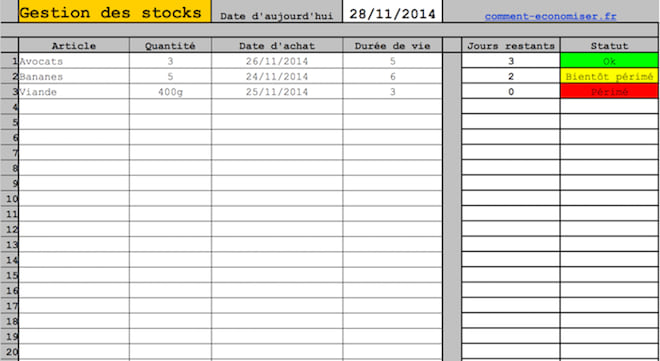
1. Download the Excel file by clicking here and open it in Microsoft Excel (or a compatible program).
2. Enter today's date in the top field.
3. List the perishable foods you're tracking.
4. Add the purchase date and estimated shelf life for each item on the same row.
The spreadsheet instantly shows days remaining until expiration. Simple, practical, and highly effective.
With color-coded alerts, you'll know at a glance what's urgent:
- More than 3 days left: OK in green.
- 1-2 days left: Expiring soon in yellow.
- Past due: Expired in red.
You can also note quantities for inventory tracking, without affecting calculations.
This tool promotes organization to minimize food waste in your fridge, freezer, and pantry.
Save money daily, streamline shopping lists, and cut your grocery budget effortlessly.
